
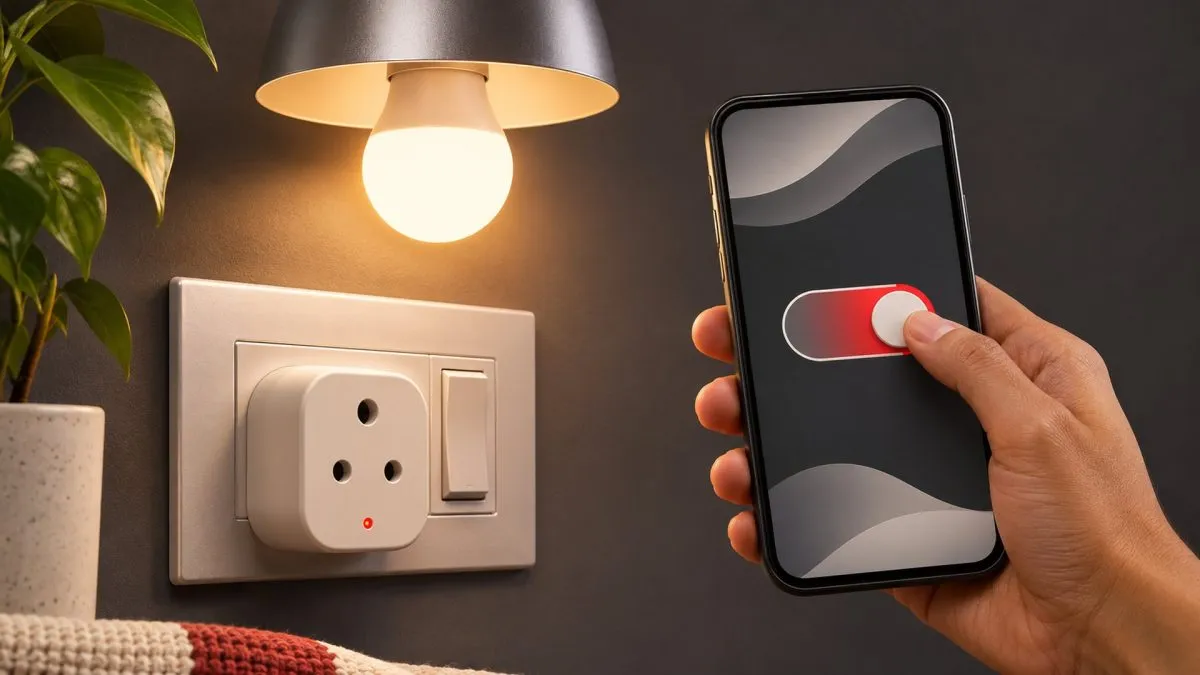
"Smart home" sounds expensive, but the most useful automations in an Indian home cost less than a pair of earbuds. Smart plugs and smart bulbs are the easiest way in — no electrician, no rewiring.
What a smart plug can do
A smart plug sits between the wall socket and an appliance, letting you switch it on or off from your phone, by voice or on a schedule. Popular uses:
- Geyser on a timer — hot water ready at 6:30 am, switched off automatically after 20 minutes. Check that the plug is rated for the geyser's load (see below).
- Mosquito repellent — on at sunset, off at midnight.
- Phone charging — cut power at a set time so devices aren't on the charger all night.
- Decorative lights — perfect for Diwali lighting schedules.
- Energy monitoring — some plugs show how much power an appliance uses, which is eye-opening for old fridges and ACs on standby.
Check the current rating — this is important
Smart plugs come in 6A/10A and 16A versions. Small electronics are fine on 10A plugs. Geysers, room heaters, irons and ACs need 16A plugs and a matching 16A wall socket. Using an under-rated plug for heavy appliances is a fire risk. Buy from a reputable brand with BIS certification.
Smart bulbs
Smart LED bulbs let you change brightness and colour temperature — cool white for work, warm white for evenings — and set schedules like a gentle wake-up light. Colour bulbs are fun for festivals. Bulbs work best when you leave the wall switch on and control them from the app or voice; otherwise they can't be reached.
Wi-Fi, Bluetooth or Matter?
- Wi-Fi devices — the most common in India. Connect directly to your router and work with Alexa and Google Home. Downsides: each device uses a Wi-Fi slot, and many need the brand's cloud to work.
- Bluetooth devices — cheaper but limited range and usually no remote control when you're away.
- Matter — the newer universal standard. Matter devices work across Alexa, Google Home and Apple Home and can keep working locally even if the internet drops. If you're starting fresh, prefer Matter-compatible devices where available.
Do you need a smart speaker?
No — every device works from its app. But a smart speaker (Echo or Nest) makes voice control and multi-device routines like "good night" (lights off, fan on, plug off) much easier, and both support Hindi voice commands.
Setup tips
- Most smart plugs and bulbs use 2.4 GHz Wi-Fi only. If setup fails, temporarily separate your router's 2.4 GHz and 5 GHz networks.
- Name devices clearly ("Bedroom Geyser", not "Plug 3") so voice commands work.
- Stick to one or two brands to avoid juggling apps.
- Keep firmware updated and use a strong Wi-Fi password — these are internet-connected devices.
A sensible starter kit
- One 16A smart plug for the geyser.
- One or two 10A smart plugs for chargers, lights or a repellent.
- Two smart bulbs for the living room or bedroom.
- Optional: a smart speaker for voice routines.
Start small, live with it for a month, and expand only where automation genuinely saves you effort or electricity.
Frequently asked questions
What can I automate with a smart plug?
A geyser timer, mosquito repellent schedules, cutting power to chargers at night, festival lights and energy monitoring.
Can I use a smart plug for a geyser?
Yes, but only a 16A smart plug with a matching 16A socket. Using an under-rated plug for heavy appliances is a fire risk.
Do I need Alexa or Google Home for smart plugs?
No. Every device works from its app, but a smart speaker makes voice control and multi-device routines easier.
What is Matter in smart home devices?
A universal standard that works across Alexa, Google Home and Apple Home and can keep working locally if the internet drops.
Also read: Bluetooth Speaker Buying Guide: What Actually Makes One Sound Good · USB-C Explained: Why All Your Cables Are Not the Same


